iPhone Duo hits 50 percent in 20 minutes with 60W adapter
Apple specifies that wired fast charging requires a USB-C cable and a power adapter rated for at least 60W, while wireless charging takes 30 minutes.
By Gabriel Qureshi ·
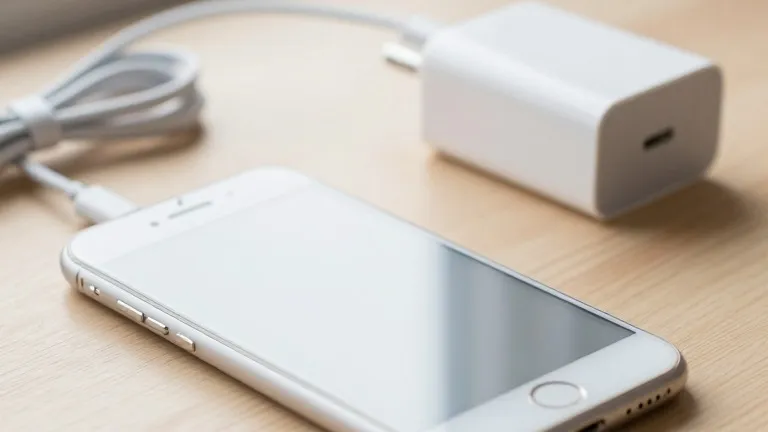
Apple requires a power adapter rated for at least 60 watts to charge the iPhone Duo to 50 percent in 20 minutes. The company’s support documentation details the specific hardware needed to achieve these speeds over both wired and wireless connections. Without the correct accessories, the phone charges slower than the advertised maximum.
For wired charging, users must pair the device with the USB-C cable included in the box. Apple lists its own 40W Dynamic Power Adapter with 60W Max as a compatible option, priced at $34. Third-party adapters are also acceptable if they are rated for 60W or more. Apple states these external chargers must use Adjustable Voltage Supply and support USB Power Delivery 3.2.
Wireless charging operates at a slower pace but remains quick. The iPhone Duo reaches 50 percent in approximately 30 minutes when placed on a wireless charger. To hit this target, users need a MagSafe Charger, which costs $30, or a compatible adapter rated at 35W or higher. Apple’s guidance identifies specific Apple and Anker adapters that meet these requirements.
9to5Mac’s author suggests that third-party chargers often offer better value than Apple’s first-party options. The outlet recommends Anker’s 100W charging brick, noting it works well with iPhones, Macs, and iPads. The writer also points out that Apple’s 40W Dynamic Power Adapter remains a good deal for those who prefer an official accessory. Customers seeking more cable length can purchase Apple’s official 2-meter USB-C cable, which is currently available at a discount.
The company’s specifications confirm that the phone supports fast charging over both connection types. The documentation clearly distinguishes the hardware requirements for each method. Buyers can now select accessories based on these defined power levels.
Source: 9to5Mac